Start with a budget band
Price shapes almost everything else, so set a ceiling first. UK phones fall roughly into three bands. The figures are approximate and move with sales.
| Rough price | What you usually get | Where corners are cut |
|---|---|---|
| Under about £250 | A big screen, decent battery, enough speed for messaging, maps and social apps | Weaker cameras in low light, slower charging, plastic build, shorter update support |
| About £250 to £600 | Good cameras, smooth screens, 5G, often years of updates | Fewer zoom lenses, less water resistance on some models, slower processors |
| Over about £600 | The best cameras and screens, premium build, long update promises | Very little, apart from the price and the cost of repairs |
A phone from the middle band is enough for most people. If you want a flagship without the flagship price, a last-year model or a good refurbished one is often the better deal. Our guide to buying a refurbished phone covers how to do that safely.
iPhone or Android: which suits you?
If you already own an Apple Watch, a Mac or an iPad, an iPhone fits in with them most easily. Apple Watch only works with an iPhone, and features such as iMessage and FaceTime are Apple only. iPhones also cover a narrower price range, so the cheapest new option still costs more than a basic Android phone.
Android phones come from many makers, at every price, in more shapes and sizes. You get more choice over the look of your home screen and default apps, and some models still take a memory card. The quality varies more, though, so the brand and model matter more than they do with Apple.
Apple and Google both offer tools to move contacts, photos and messages across, although some app purchases do not carry over.
Size, weight and battery life
Picking a size you can live with
Screen sizes are given as a diagonal measurement, which tells you little about how a phone feels. If you can, hold one in a shop. Try reaching the top corner with your thumb and think about your pockets. Larger phones are easier to read and type on, while smaller ones are easier to use one handed and weigh less. Foldable phones give you a big screen in a smaller shape, but they cost more and are harder to repair.
Battery and charging
Bigger phones usually have bigger batteries, but the processor and screen also affect how long a charge lasts. Look at independent reviews that run the same battery test on every phone, rather than the capacity figure alone. Check the charging speed too, and whether a charger is included. Many phones now come with only a cable.
How much does the camera matter?
For most people, any mid-range phone takes good photos in daylight. The differences show up in dim rooms, at night, when zooming and when filming moving subjects. A high megapixel count does not by itself mean better pictures.
Think about what you actually photograph. Children and pets that will not sit still need a fast camera with good stabilisation. Holidays and gigs benefit from an optical zoom lens. If you film a lot, look for reviews that include video samples. An ultrawide lens is handy for rooms and landscapes and is now common even on cheaper phones.
How much storage do you need?
Storage cannot be added later on most phones, so this is worth getting right. As a rough guide:
- 128GB suits most people who use cloud backup for photos.
- 256GB is sensible if you shoot a lot of video, keep music or films offline, or play large games.
- 512GB or more is mainly for people who film in high resolution or keep years of photos on the phone itself.
To check your current use, look in your phone's settings, usually under Settings > General > iPhone Storage on an iPhone, or Settings > Storage on Android. Menus vary by model and software version. Remember that cloud storage beyond the free allowance usually means a monthly fee.
Check how long the phone will get updates
Software updates fix security holes and keep apps working. Once a phone stops getting them, it becomes less safe to use for banking and email, even if the hardware is fine. Updates are only one part of keeping your phone secure, but they are the part you cannot add later.
Since 29 April 2024, UK law under the Product Security and Telecommunications Infrastructure regime has required makers of smartphones and other connectable products to publish the minimum period they will provide security updates for. Look for this on the maker's website or the product page before you buy. Some makers now promise up to seven years for their more expensive models, while budget phones may get far less. Pick a phone with several years of support left from the day you buy it, not from the day it launched.
Do you need 5G?
Most phones above the cheapest band now support 5G, so it is rarely something you have to pay extra for. Whether it helps you depends on coverage where you live and work. You can compare networks with Ofcom's mobile coverage checker or the networks' own maps.
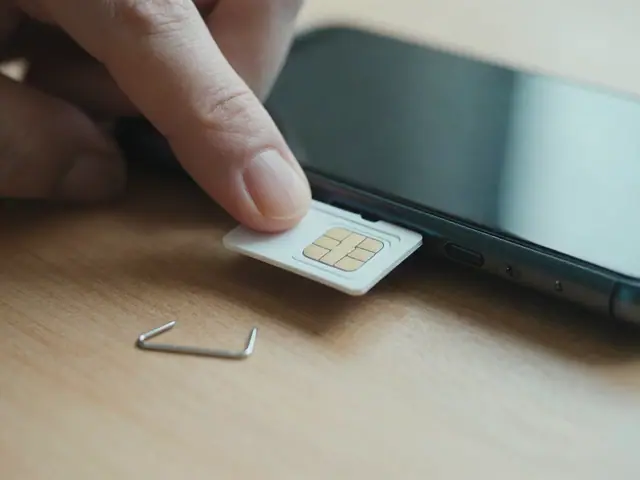
What matters more for an older or very cheap phone is 4G calling. All four main UK networks have switched off 3G, so a phone that can only make calls over 3G may struggle to connect for voice calls. Any new phone sold today handles this, but check if you are buying second hand. It is also worth checking whether a phone supports eSIM if you plan to travel or use two numbers. Our eSIM guide explains how that works.
Buying safely in the UK
Choosing where to buy
You can buy SIM free from the maker or a major retailer, or get a phone on a contract from a network. Our comparison of SIM only and phone contracts works through the total cost of each. Phones sold by UK networks have had to be unlocked since December 2021, so you can usually move to another network later.
Protecting your money
- Buy from a seller with a clear UK address and returns policy.
- Pay by credit card where you can. For items costing over £100 and up to £30,000, Section 75 of the Consumer Credit Act can make the card provider jointly liable if things go wrong.
- Be wary of imported phones listed as "global" or "international" versions. They may lack a UK warranty, a UK plug or support for some UK network features, and some US models have no SIM tray.
- Ignore deals sent by text or social media that look far too cheap. They are a common scam.
When you buy online from a business, the Consumer Contracts Regulations usually give you 14 days from delivery to change your mind, then another 14 days to send the phone back.
More guides to help you decide
Once you have a shortlist, compare the cost of SIM-only and a contract, and if the phone is for a child, read choosing a first phone.