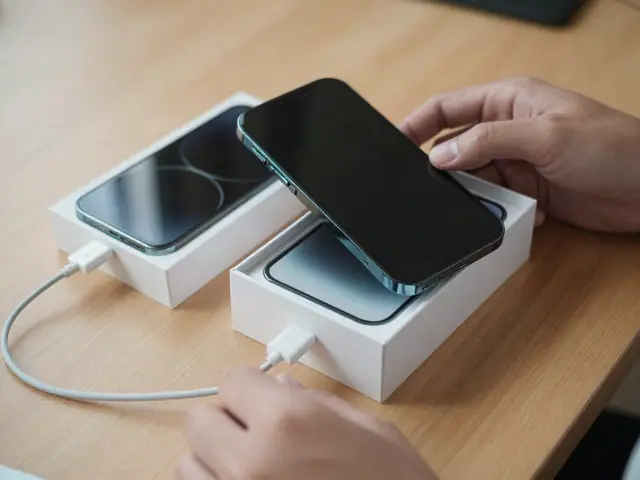
Is it hard to switch mobile network?
Not any more. Since 2019, you've been able to start a switch by sending a free text. You don't need to call your old provider or sit through a sales pitch to stay. The switch normally happens within one working day, and you can keep your number.
Most of the work is in the preparation: checking your contract, choosing a network with good coverage and making sure your phone will work on it.
Step 1: Check your contract
Start by finding out where you are in your contract. Your end date is in your network's app, your online account or your contract summary.
If you're out of contract
You can leave without an exit fee. You'll pay for your service up to the switch date and nothing after it.
If you're still in contract
You can still switch, but you'll probably have to pay an early termination fee. This is usually based on the airtime payments left on your contract, sometimes with a discount. If you have a device plan, you'll also need to keep paying for the phone or settle what you owe. The text you receive with your switching code tells you what you'd have to pay.
Step 2: Check coverage where you need it
A cheaper deal isn't much use if your phone doesn't work at home. Coverage can change from one street to the next, and indoor signal is often weaker than outdoor maps show.
Check the postcodes that matter to you: home, work and places you visit regularly. Ofcom's coverage checker compares all four main networks in one place, and each network has its own map as well. Asking neighbours which network works well for them is surprisingly useful too.
Don't forget the smaller providers
Providers such as giffgaff, Tesco Mobile, Sky Mobile and iD Mobile use one of the four main networks (EE, O2, Three and Vodafone). Their coverage is the same as the network they use, and their prices are often lower. Find out which network a provider uses before you check its coverage.
Step 3: Make sure your phone is unlocked
Since December 2021, UK networks haven't been allowed to sell locked phones. If your phone is older, or you bought it abroad or second-hand, it might still be locked to one network.
The quickest test is to borrow a SIM from a friend on a different network and see if it works. On an iPhone, you can also look in Settings, then General, then About. If it says "No SIM restrictions" next to Carrier Lock, it's unlocked. If your phone is locked, ask your current provider to unlock it. Most do this free of charge.
Step 4: Get your switching code
What you text depends on whether you want to keep your number.
To keep your number, ask for a PAC
Text PAC to 65075. You'll receive a Porting Authorisation Code by text, usually within a minute.
To get a new number, ask for a STAC
Text STAC to 75075. You'll receive a Service Termination Authorisation Code. Use this if you'd like a fresh number, for example to cut down on nuisance calls.
Both texts are free. The reply also lists any outstanding charges, any pay-as-you-go credit you'll lose and whether you have a device plan to keep paying. Codes are valid for 30 days.
Step 5: Sign up with your new provider
Choose your new plan and give the provider your PAC or STAC when you sign up. They'll tell you when the switch will happen, which is normally the next working day. You can choose a later date if that suits you better.
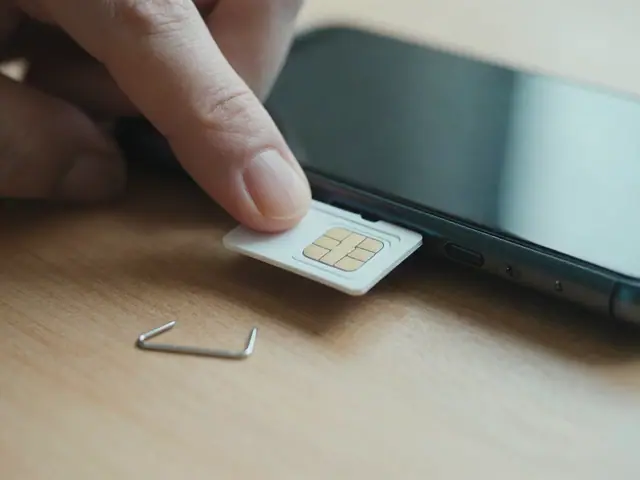
Your new SIM will arrive in the post, or you can download an eSIM straight to your phone if both your phone and the provider support it. Don't put the new SIM in until the switch date.
Moving to an eSIM
Many providers let you download an eSIM through their app or by scanning a QR code. It saves waiting for the post and means you can switch on the agreed date wherever you are. Connect your phone to Wi-Fi while you set it up, and don't delete your old eSIM until the new one is working.
You don't need to cancel your old contract yourself. The switch does it for you, and you won't be charged for any notice period after the switch date.
What happens on switching day?
You may lose service for a few hours while your number moves across. Once your old SIM stops working, put in the new SIM or activate your eSIM, then restart your phone.
Checks to make after switching
- Make a call and send a text to check both work.
- Turn off Wi-Fi and open a web page to test mobile data.
- Switch on Wi-Fi calling if your new provider supports it.
- Record a new voicemail greeting, as your old one won't transfer.
- Check that your banking apps still send you security codes.
If anything isn't working after a day, contact your new provider. Most problems are settings that can be sorted out over the phone.
What about your final bill?
Your old provider will send a final bill covering your service up to the switch date, plus any exit fees. If you pay by direct debit, check the amount before it's taken. Once everything is settled, you can cancel the direct debit. Keep a copy of the final bill and any emails confirming the switch, in case there's a dispute later.
If you were on pay-as-you-go, any unused credit is usually lost when you switch, so use it up beforehand if you can.
Can you switch a business mobile the same way?
The text-to-switch process covers personal accounts and many small business accounts. Larger business accounts often follow a different process, and an authorised contact may need to request the codes. Check with your provider or account manager before you start.
What to read next
Before you choose a new network, check whether Wi-Fi calling could solve poor signal indoors, and how an eSIM can make the move quicker. If you're thinking about a new handset at the same time, see how to choose a smartphone.