What should you do in the first few minutes?
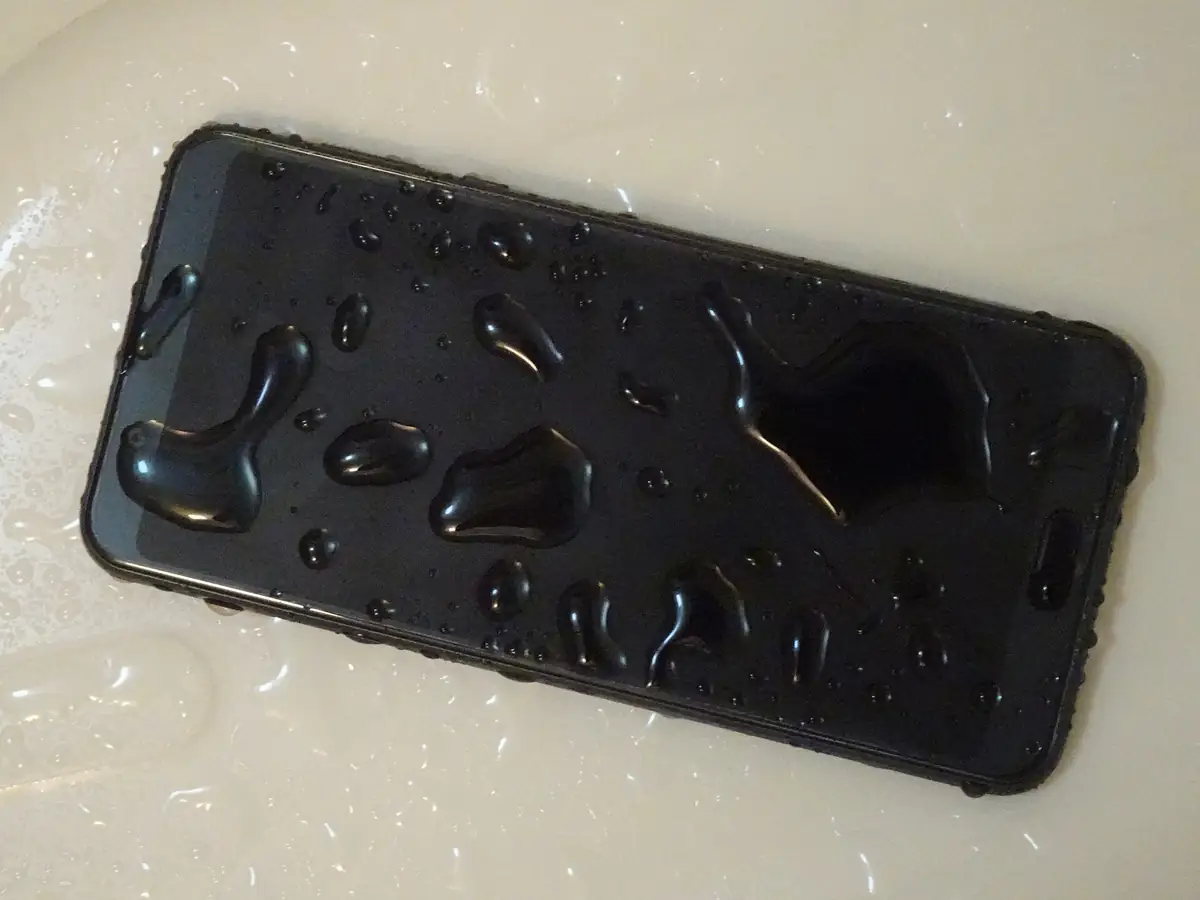
- Get the phone out of the liquid straight away. If it was charging when it fell in, switch the charger off at the wall before you reach in.
- Unplug any cable, earphones or accessories.
- If the phone isn't water resistant, or it was submerged for more than a moment, switch it off. Google advises turning a Pixel off after it falls in water, and Samsung says not to turn a non-water-resistant phone back on until it has been checked.
- Take off the case so water isn't trapped against the phone.
- Wipe the outside with a soft, lint-free cloth.
- Hold the phone with the charging port facing down and tap it gently against your hand to let water run out.
- Once the outside is dry, take out the SIM tray and any memory card.
If it was something other than clean water
Salt water, pool water, fizzy drinks and coffee leave residue that can corrode the inside. For water-resistant models, Apple and Samsung suggest briefly rinsing the phone in clean tap water and then drying it. Only do this if your phone is water resistant and the maker's guidance for your model says so. Never rinse a phone that isn't water resistant.
The next few hours: let it dry slowly
Put the phone on a towel in a dry room with good airflow, port facing down. Apple says a fan blowing cool air into the port can help. Then be patient.
- Apple says to wait at least five hours before charging an iPhone with a cable, and full drying can take up to 24 hours.
- Samsung says water usually evaporates from the charging port in about one to two hours.
- Google says that if a Pixel's "liquid or debris" message stays for two hours or more, you should contact support.
Many phones show a moisture warning when they detect liquid in the port. Take it seriously. Some iPhones let you override the alert in an emergency, but Apple advises against it. Apple says wireless charging is an option once the back of the iPhone is dry.
What not to do with a wet phone
Don't charge it
Charging while the port is wet can corrode the pins and damage the electronics. Wait until the phone is completely dry, and give it longer if it was fully submerged.
Don't use heat
Hairdryers, radiators, ovens, microwaves and sunny windowsills can damage the battery, screen and seals. Samsung warns that heat can cause discolouration, corrosion or permanent damage. Heating a lithium-ion battery is also a safety risk.
Skip the bag of rice
Burying a wet phone in rice is a popular trick, but current manufacturer advice doesn't support it. Apple says plainly not to put an iPhone in a bag of rice, because small particles of rice could damage it. Air drying in a well-ventilated room is what the manufacturers recommend instead.
Don't poke or blow into the ports
Don't push cotton buds, paper towel or anything else into the charging port or speaker holes, and don't use compressed air. Apple advises against both, as they can damage the parts or push water further in. Don't try to open the phone to dry it either.
What do IP ratings actually mean?
Many phones carry an IP (ingress protection) rating under the international IEC 60529 standard. The first digit is protection against dust and solids, where 6 means dust-tight. The second digit covers water.
| Rating | Dust | Water |
|---|---|---|
| IP67 | Dust-tight | Temporary immersion, up to 1 metre for 30 minutes |
| IP68 | Dust-tight | Immersion beyond IP67 conditions, to a depth and time the manufacturer specifies |
Because IP68 limits are set by each manufacturer, two IP68 phones can be rated very differently. Apple, for example, rates many recent iPhones to 6 metres for 30 minutes, while some older models are rated to 2 or 4 metres. Check the specifications for your own model.
These ratings come from lab tests in controlled conditions, so treat them as protection against accidents. Apple says water resistance isn't permanent and can decrease with normal wear, and it advises against swimming or showering with an iPhone, saunas, high-pressure water and drops. A phone that has been dropped, opened or repaired, for example after a cracked screen, may be less well sealed than when it was new.
Is liquid damage covered by warranty?
Usually not. Apple states that liquid damage isn't covered under its warranty, and Google treats water damage as accidental damage outside its warranty.
Insurance and accidental damage plans
Check any phone insurance, extended plans with accidental damage cover, cover that comes with your bank account and your home contents policy. Read the terms for the excess and any approved repairers before you book a repair elsewhere, as some policies only pay for repairs done through them.
Your consumer rights
The Consumer Rights Act 2015 covers goods that are faulty, not accidental damage. If you believe the phone let in water because of a fault, for example during light use well within its rating, you can raise it with the retailer. Expect them to inspect the phone, and be aware that this can be hard to prove.
When should you get professional help?
Book a repair or inspection if any of these apply:
- The phone isn't water resistant and was submerged.
- It went in salt water, a pool or a sugary drink.
- It won't turn on, or it keeps restarting.
- The screen shows spots, lines or condensation behind the glass.
- The moisture warning won't clear after a full day of drying.
- Sound stays muffled or the cameras stay fogged after a day or two.
If the phone gets hot when it isn't charging, smells of burning or the screen starts to lift, stop using it, switch it off and get it checked straight away, as these can be signs of battery damage. Samsung recommends having a phone inspected after water exposure even if it seems to work normally, because damage may not show at first. Go to the manufacturer, an authorised service provider or a reputable repairer, and tell them exactly what happened.
Back up your phone as soon as it works
If the phone works once it's dry, back it up straight away to iCloud, Google or a computer. Faults from liquid damage can appear days later, and you may not get another chance. Pay attention to photos, messages and any authenticator app, since codes stored only on the phone can be hard to recover.
If it won't turn on, your data may still be in a cloud backup. Sign in on another device to see what's there. For the future, our guide on how to secure your phone explains how to set up automatic backups so a damaged phone costs you less.
More help with a damaged phone
If the battery seems to drain faster once your phone has dried out, read why your phone battery is draining fast. If the phone can't be saved, our guide to buying a refurbished phone can help you replace it for less.