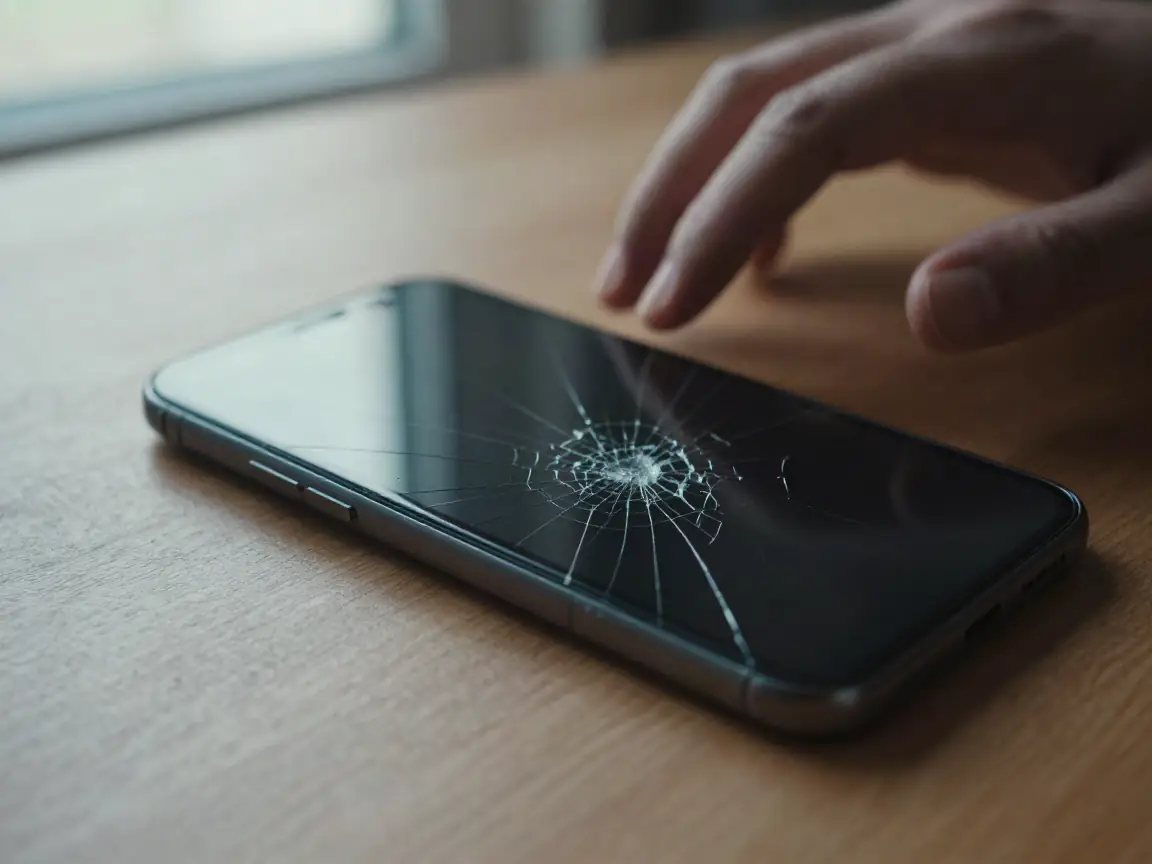
Is it just the glass, or the display underneath?
A phone screen is several layers bonded together. On top is a sheet of toughened glass. Under it sit the touch layer and the display panel itself, which is either an LCD or, on most recent phones, an OLED. Knowing which layers are damaged tells you how urgent the repair is.
Signs only the glass is cracked
- The picture looks normal under the cracks, with no spots, lines or odd colours.
- Touch works everywhere, including over the cracks and at the edges.
- Brightness and colours look the same as they did before the drop.
Signs the display panel is damaged
- Black or purple blotches that spread over time, which is typical of a damaged OLED.
- Coloured lines running across or down the screen.
- Light leaking around the edges or a dim patch, which is more common on LCDs.
- Flickering, or a black screen while the phone still rings and vibrates.
When touch stops behaving
Touch problems can appear even when the picture looks fine. Watch for areas that ignore taps, "ghost" touches that open apps by themselves, or typing that lands on the wrong letters. Ghost touches can call or message people without you noticing. On most modern phones the glass, touch layer and display are fused into one part, so a repair usually means replacing the whole screen assembly either way.
How to handle a phone with shattered glass safely
Broken phone glass can shed tiny, sharp splinters that cut fingers, ears and cheeks. Apple's safety guidance says not to use an iPhone with cracked glass because it may cause injury, and the same applies to any phone.
- Stop swiping over the cracks, and use earphones for calls so the glass stays away from your face.
- Cover the screen with a clear screen protector or clear packing tape to hold loose fragments in place until the repair.
- Don't pick at loose shards or try to remove the glass.
- If the screen is lifting away from the body, or the phone looks bent or swollen, stop using it and switch it off. This can be a sign of a damaged battery.
Leave the repair itself to a professional. Replacing a screen usually involves softening strong adhesive, prising the phone open close to the battery and handling fragile ribbon cables. A slip can puncture the battery and start a fire, and opening the phone will usually remove its water resistance.
What are your repair options?
Most people have four routes to choose from.
| Option | Parts | Good to know |
|---|---|---|
| Manufacturer repair | Genuine | Often the dearest without cover, but done to the maker's standards. Usually in store or by post. |
| Authorised service provider | Genuine | Approved and trained by the manufacturer. Sets its own prices. |
| Independent repairer | Genuine, refurbished or third-party | Often cheaper and quicker. Quality varies a lot. |
| Insurance or accidental damage plan | Depends on the policy | You pay an excess, and a claim may affect future premiums. |
Manufacturer and authorised repairs
A standard manufacturer warranty covers faults, not accidental damage, so a screen cracked in a drop won't normally be repaired for free. If you have an extended plan with accidental damage cover, such as AppleCare+, check that first.
Independent repair shops
A good independent shop can do a quality job for less, often on the same day, but standards vary and the screen they fit may not be genuine.
Insurance
Check any phone insurance, cover bundled with your bank account and your home contents policy, which sometimes includes gadgets. Compare the excess with the repair price, as on a cheaper phone the two can be close.
Genuine or third-party screen: does it matter?
Third-party screens range from decent to poor. Cheaper ones may be LCD panels fitted in place of an original OLED, which can mean duller colours, a slightly thicker screen and less accurate touch. Features built into the screen, such as an under-display fingerprint sensor or automatic brightness, may not work as well.
Some phones also record the change. On recent iPhones, Settings > General > About includes a Parts and Service History section, and a non-genuine display can be listed as "Unknown". The phone still works, but careful buyers check this, as our guide to buying a refurbished phone explains. A genuine part costs more but is usually worth it on a phone you plan to keep.
Questions to ask before you hand your phone over
- Is the screen genuine, refurbished genuine or third-party? If it's third-party, is it LCD or OLED?
- What is the full price, including VAT and any postage?
- What warranty do you give on the part and the work, and what does it exclude?
- Will the repair affect the manufacturer's warranty or the phone's water resistance?
- Do you need my passcode, and if so, why?
- What happens if you find more damage once the phone is open?
A reputable repairer will answer these without fuss and put the price and warranty in writing.
How do you protect your data before a repair?
Make a fresh backup
Back up to iCloud, Google or a computer before the phone goes anywhere. If the technician finds deeper damage and the main board has to be replaced, your data may not come back. If the touchscreen barely responds, try connecting the phone to a computer you've backed up to before.
Use repair mode if your phone has one
Some Android phones have a mode that hides your personal data from the technician. On Google Pixel phones it's called Repair mode and is usually under Settings > System. On Samsung Galaxy phones it's Maintenance mode, usually under Settings > Battery and device care. Menus vary by model and software version. If your phone has no such mode, ask why the passcode is needed before you share it, and change it afterwards. Our guide on how to secure your phone covers passcodes and backups in more detail.
Before you drop it off
- Take out the SIM card and any memory card.
- Note the phone's IMEI number. Dialling *#06# usually shows it.
- Some repairers ask you to turn off Find My (Apple) or Find Hub (Google) first. Turn it back on as soon as you collect the phone.
When does replacing the phone make more sense?
Repairing usually wins for a phone that's otherwise working well. Replacing makes more sense when:
- The repair quote is more than about half of what the phone is worth second-hand.
- The phone no longer gets security updates, or will stop getting them soon.
- The battery is also worn out, so you'd be paying for two repairs.
- There's other damage, such as a bent frame, a cracked back or signs of water getting in.
A cracked phone still has some trade-in or recycling value. If you're buying again, how to choose a smartphone helps you work out what you need. Back up and factory reset the old phone before you part with it.
Related guides
If your phone ended up in water as well, read what to do after water damage before you book a screen repair. If the battery has started to struggle too, see why a phone battery drains fast.